
Customers
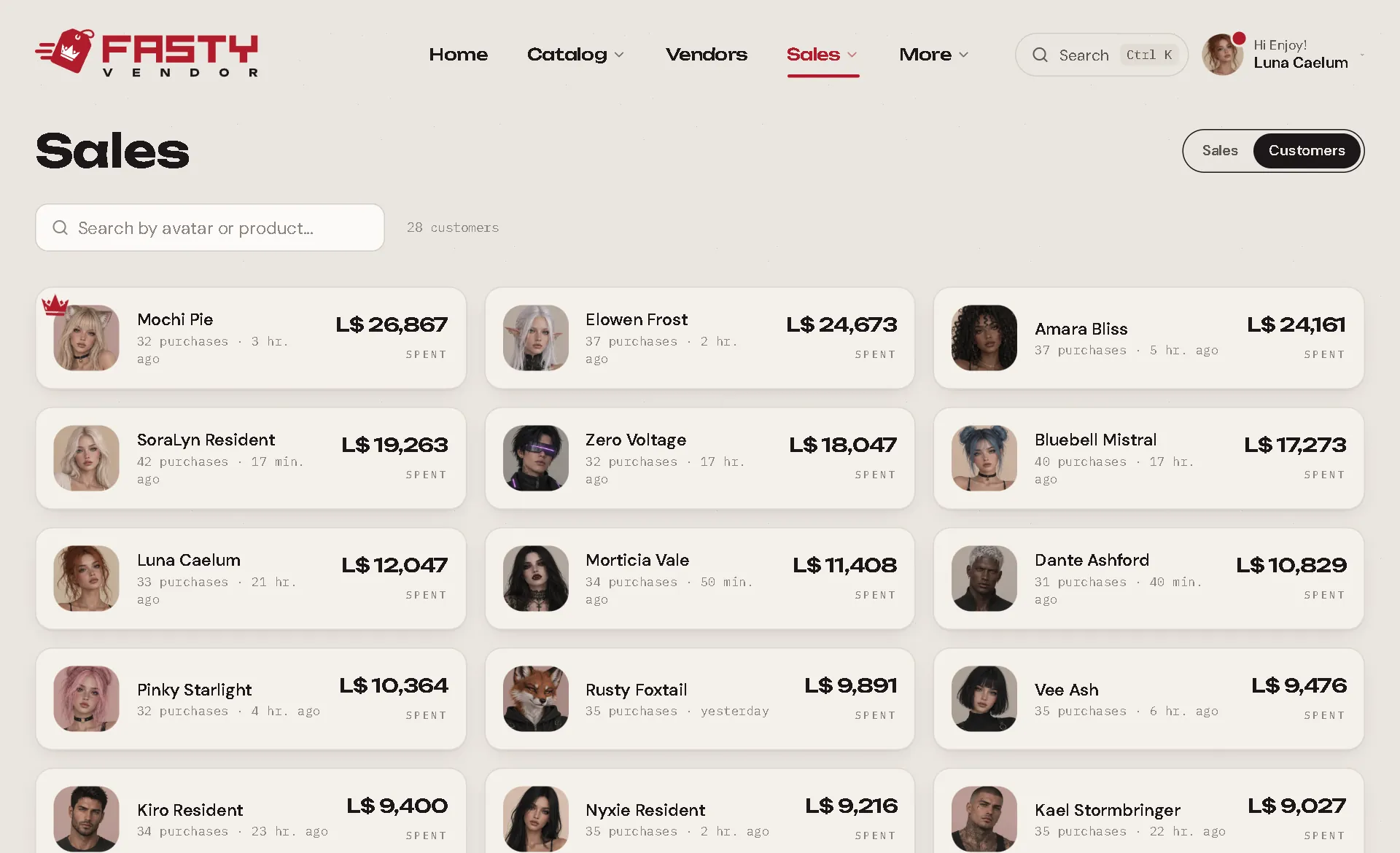
Sales → Customers lists everyone who bought from you, with what they spent and how many purchases they made. A Blocked badge marks anyone you blocked.
The customer page
Click a customer (here, or their name anywhere in the panel) to open their page.
At the top
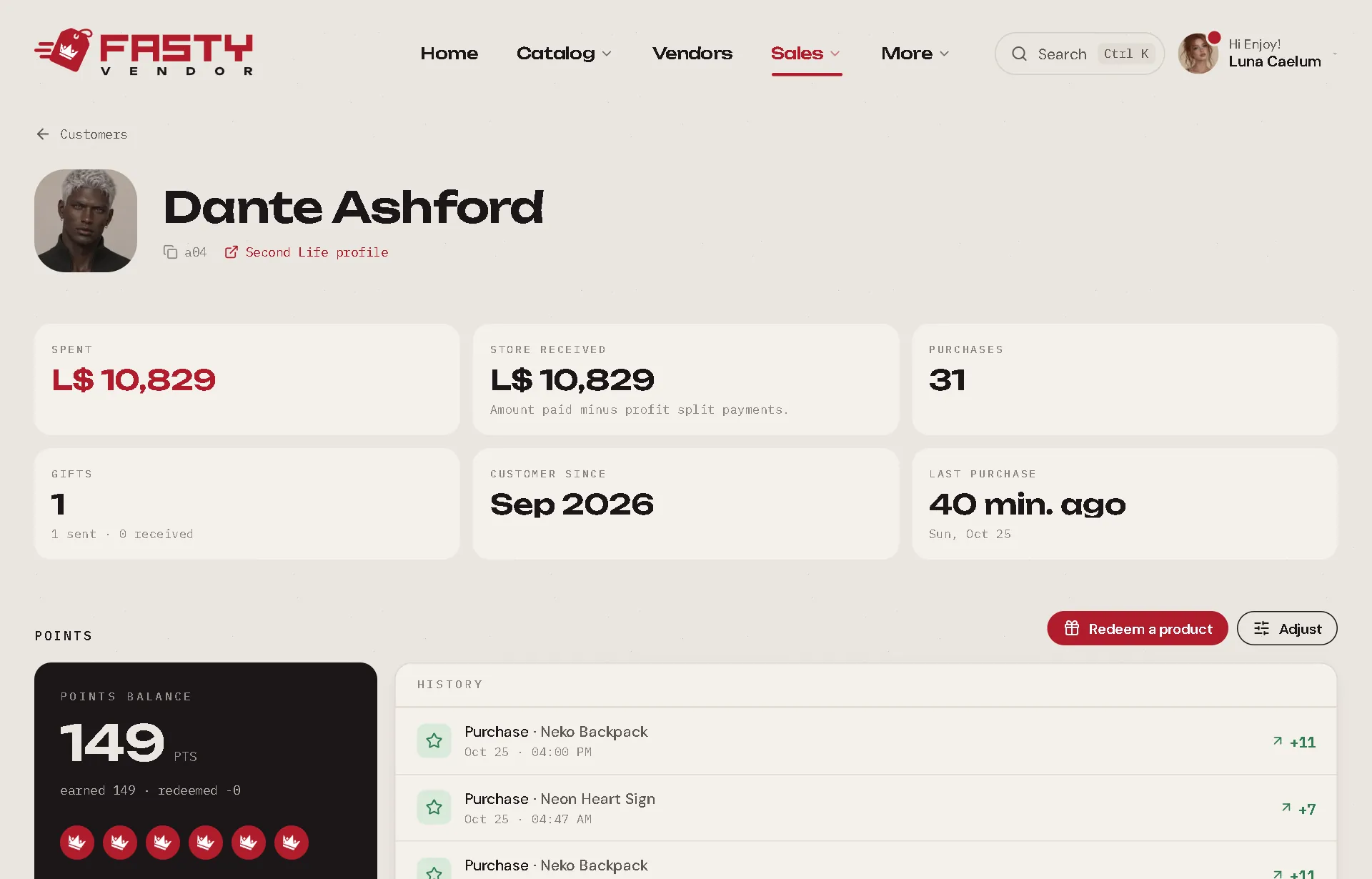
- Their Second Life picture and name, the UUID (click to copy) and a link to their Second Life profile.
- Redeliver everything: resends every item they ever bought (or received as a gift). Great when someone lost their inventory. Gift cards and delivered gacha prizes are left out. Customers can also do it themselves from the redelivery terminal.
The numbers
| Number | Meaning |
|---|---|
| Spent | Everything they paid you. |
| Store received | What you kept, after profit shares. |
| Purchases | How many times they bought. |
| Gifts | Gifts sent and received. |
| Customer since | Their first purchase. |
| Last purchase | When they last bought. |
Sections
- Points PRO: their balance, history, and the Redeem a product and Adjust buttons. See Loyalty Points.
- Gift cards PRO: the cards they hold. See Gift Cards.
- Coupons PRO: their personal coupons, with Give a coupon. See Coupons.
- Transactions: every purchase, 30 at a time (Load more for older ones), with filters: All, Purchases, Gifts sent, Gifts received, Refunded. Marketplace sales and sales imported from CasperVend are here too.
- What they buy: their favourite products, counted over their whole history.
The numbers are always counted over all their purchases, even for a customer with thousands of them.
Blocking a customer
Someone you don't want to sell to anymore? Block them. It's free on every plan and works on every vendor you have, with nothing to update.
Open their customer page and press Block.
Write a reason if you want. Only your store sees it.
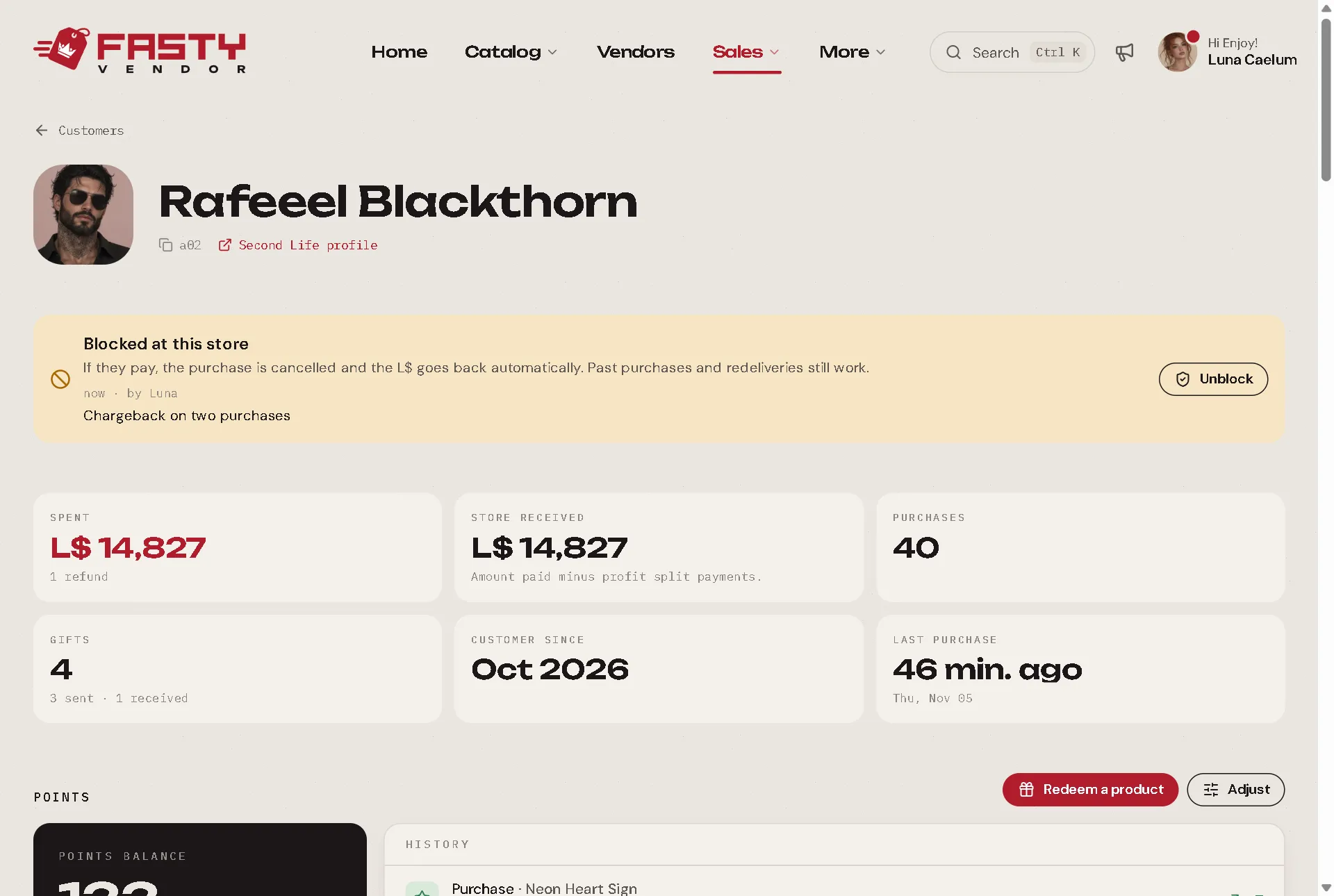
Press Block. It works right away, and the page shows who blocked them, when and why.
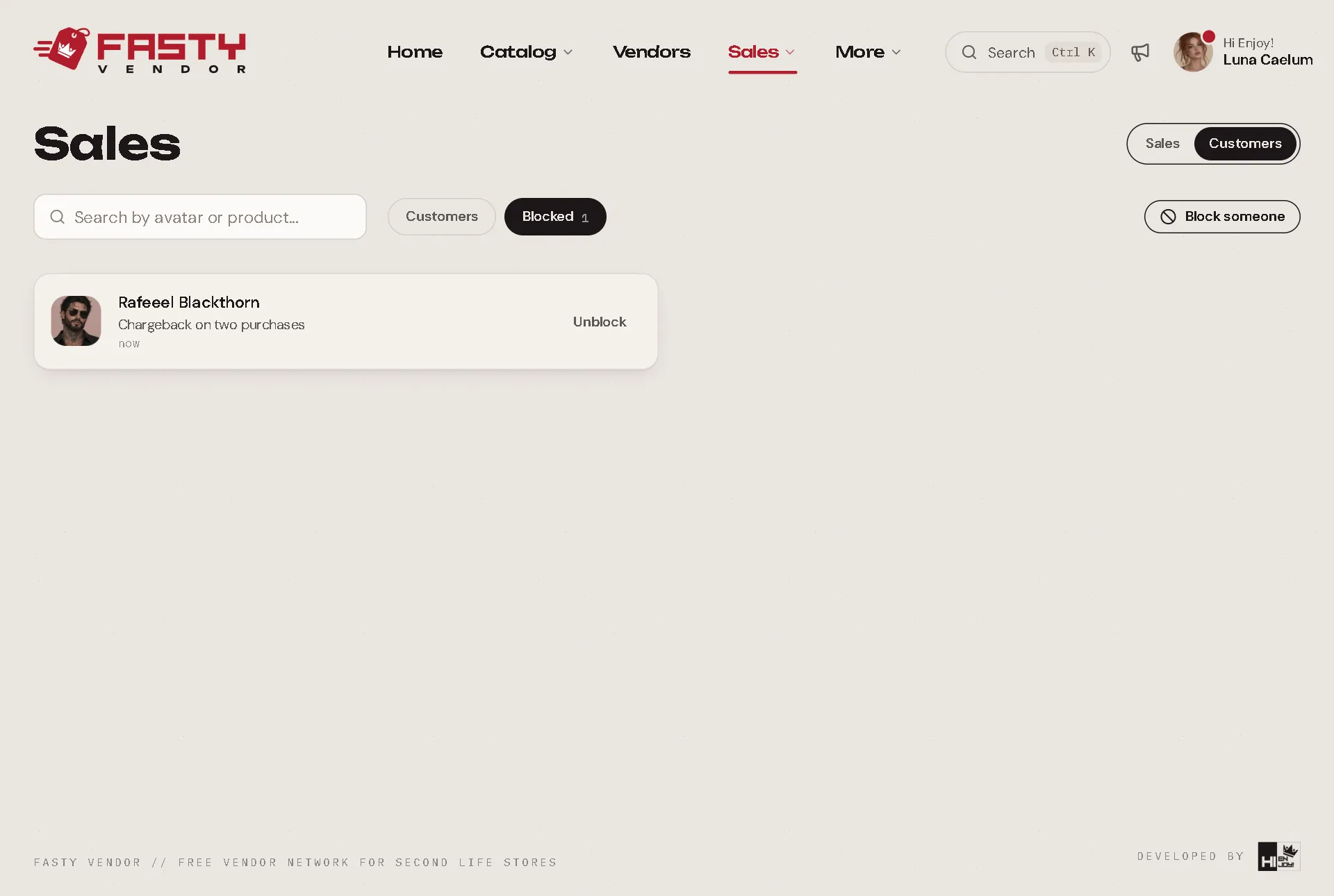
To block someone who never bought from you, open Sales → Customers → Blocked, press Block someone and search for their Second Life username.
The Blocked list shows everyone blocked in your store. Press Unblock there, or on their page, and they can buy again.
What happens when they try to buy
Second Life takes the L$ before Fasty can say no, so a payment can't be stopped. Fasty cancels it and sends the money back on its own.
| They try to… | What happens |
|---|---|
| Pay a vendor | The vendor thanks them as usual, and about two seconds later they read "Sorry, this store isn't accepting your purchases. Your L$250 is on its way back." Nothing is delivered. |
| Play a gacha machine | No draw happens, and they get the same message. The L$ goes back through one of your vendors, so you need one online. |
| Buy a gift | Same as paying. With a recent script, the Gift button tells them before they pay. |
| Use a gift card, a coupon or Get Free | The vendor just says no. Nothing is paid or spent. |
| Trade tokens, enter a giveaway, take a blogger product | They are turned away. |
Someone else buying a gift for a blocked customer is refused too, with "Sorry, this store can't send a gift to that person." If a payment gets through, the L$ goes back to the person who paid.
The message never says why, and your reason stays private. In Sales, the purchase shows as Refunded, with Blocked customer on its delivery path. It gives no points and no profit shares, uses no stock, and you get no purchase IM.
What doesn't change
- What they already bought stays theirs. They keep their receipts, redeliveries and product updates.
- Their gift card balance, points and tokens stay saved. They just can't use them until you unblock them.
- What you do yourself still goes through: Send to someone, giving a gift card, a giveaway prize you confirm.
Good to know
- A block is per store and per avatar. It doesn't reach the person's other avatars.
- You can't block the store owner or someone on your team.
- If they already entered a giveaway, they stay on its locked list. If they win, you can Annul it.
- Marketplace sales can't be stopped: Second Life delivers those itself.
- If the Fasty server is down at that moment, a hub may deliver the sale directly, because hubs don't know the list. That sale counts as a normal one.
- On your team, only people whose role has Block and unblock customers can do it. See Your Team.