
Discord & Webhooks PRO
Want to know about every sale without opening the panel? Fasty can post it in your Discord channel, with the product picture, the buyer and the amount. It also tells you when a hub goes offline.
Discord alerts
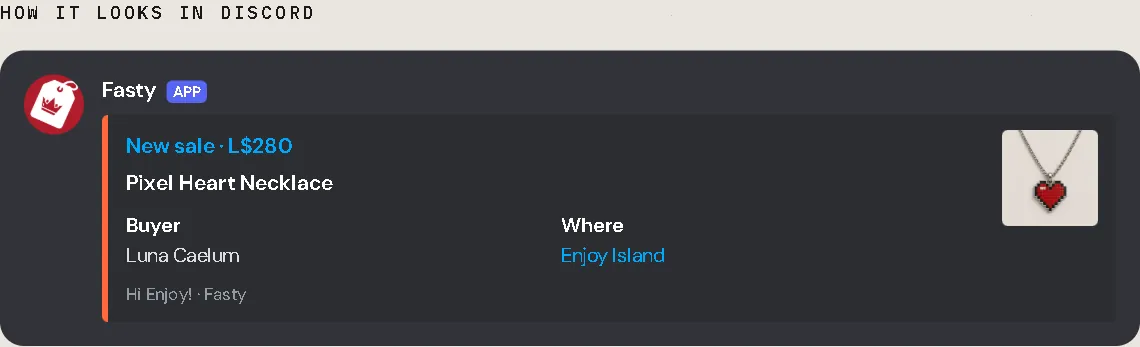
In Discord, open your channel → Edit Channel → Integrations → Webhooks → New Webhook → Copy Webhook URL.
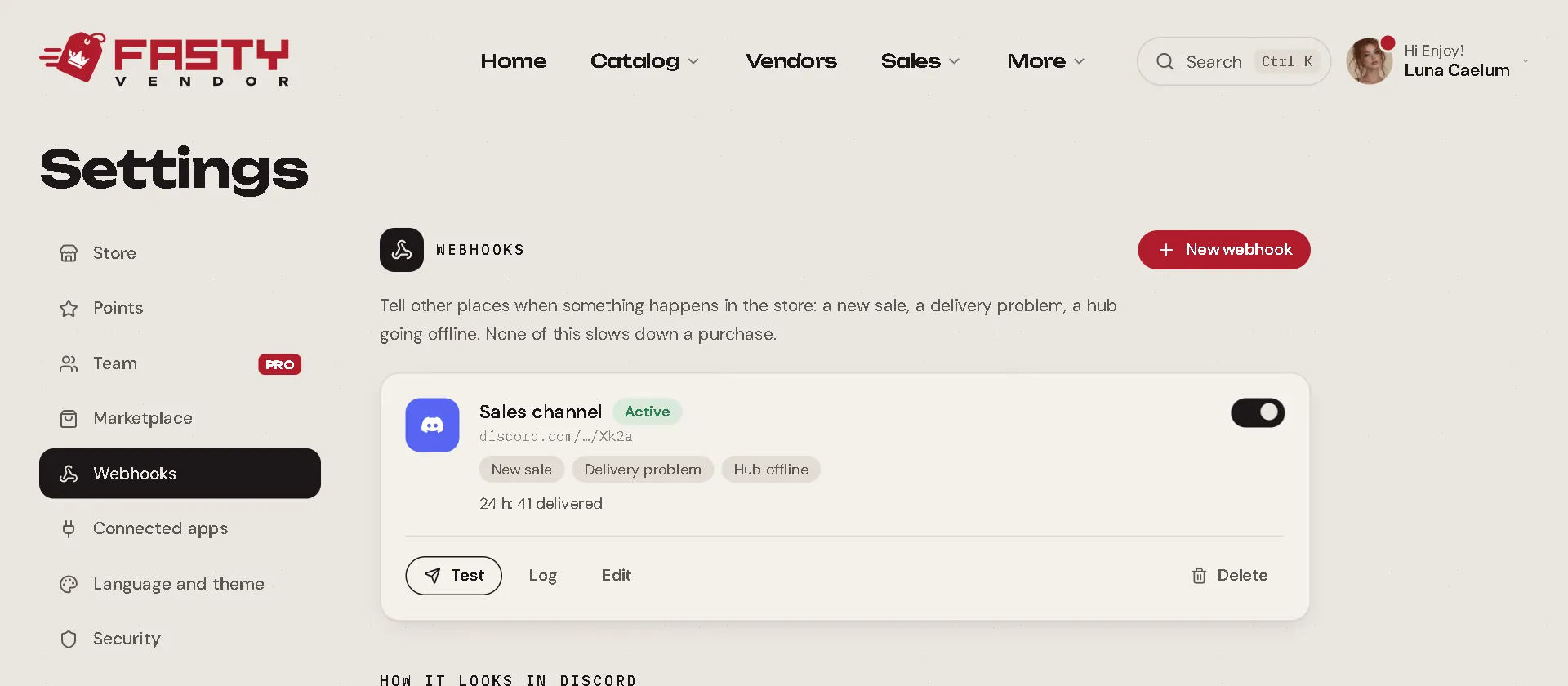
In the panel, open Store settings → Webhooks → New webhook, choose Discord and paste it.
Press Test to send a test message to the channel and see it working.
Discord alerts are part of Fasty Pro. Nobody is mentioned (no @everyone), so they never wake up your whole server.
Set up before it became Pro?
Discord alerts used to be on every plan. If you turned them on back then, they keep posting on Basic. To add a new one or change it, you need Pro. Turning one off or deleting it always works.
What it tells you
When you add or edit a webhook, choose what it should tell you about:
| Event | When |
|---|---|
| New sale | Someone paid. A purchase Fasty cancels on its own (sold out, blocked customer) shows here too, followed by Sale refunded. |
| Sale delivered | The item reached the customer. |
| Sale refunded | You marked a sale as refunded, or Fasty cancelled it and sent the L$ back. |
| Delivery problem | Not in use today: Fasty never gives up on a delivery, so this event doesn't fire. Waiting sales show on Home. |
| Hub offline / Hub back online | One of your hubs stopped answering, or came back. |
You can also choose where the sales come from (In-world, Marketplace, or both), Paid sales only, which leaves out the L$0 ones (demos, freebies, points rewards), and Only sales from: a minimum amount in L$. Set it to 500 and only sales of L$500 or more reach the channel. Hub alerts always arrive. Leave it at 0 to get every sale.
Your webhooks
Store settings → Webhooks lists them all (up to 5 per store). For each one you can:
- Test it: Fasty sends a test message.
- See the Log: the latest sends and whether they arrived. A failed one can be sent again with Resend.
- Turn it off and on with the switch.
If a destination keeps failing for 24 hours (a deleted Discord channel, for example), Fasty pauses it on its own, sends you one IM and shows a notice in the panel. Turn it back on when it is fixed: what was waiting goes out.
For developers: JSON webhooks
Running your own system? A JSON webhook sends each event as a signed POST to your address. Every event has an id, a type, the time, your store, and the details of the sale (product, buyer, recipient, place, payment, receipt link) or the hub.
- Answer with any 2xx status within 5 seconds.
- The same event can arrive twice: use its
idto ignore repeats. - If your address does not answer, Fasty tries again for up to 2 days (10 s, 1 min, 5 min, 30 min, 2 h, 6 h, 12 h, 24 h).
- Each request carries a
Fasty-Signatureheader (t=<unix time>,v1=<HMAC-SHA256>). The signing secret is shown once, when you create the webhook. Check the signature to be sure the event really came from Fasty.
The panel's How to receive (for developers) section, under the webhook list, shows a full example event and the code to check the signature.