Groups
A HUD with eighty functions is hard to read. Groups put functions into named folders: Tops, Bottoms, Colors, Effects. They are purely organizational; they do not change how anything runs.
Create a group
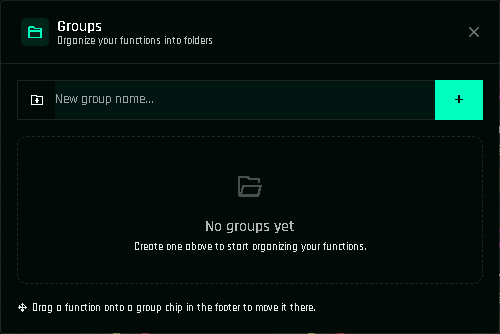
Click Manage Groups in the bottom bar of the panel.
Type a name (up to 25 characters) and click +.
The group appears as a chip in the bottom bar, next to All.
Put functions in a group
Drag the function's icon (the picture on its card) and drop it on a group chip in the bottom bar. The group name appears on the card. To remove it from the group, click the × next to the group name on the card.
Create inside a group
Select a group chip first, then create a function or clone one. The new function joins that group automatically.
Filter by group
Click a group chip to show only its functions. All shows everything. The count on each chip is the number of functions inside.
Rename or delete a group
In Manage Groups, each group can be renamed (the functions keep their membership) or deleted, with two delete options:
| Option | Result |
|---|---|
| Delete group only | Functions stay, ungrouped. |
| Delete group and functions | The group and every function in it are removed, with their actions. |
The second one cannot be undone after you reload the page. Ctrl+Z works while the page is open.
Groups and memory
Groups cost no project memory.